Data Usage Tutorial (Three Stps)
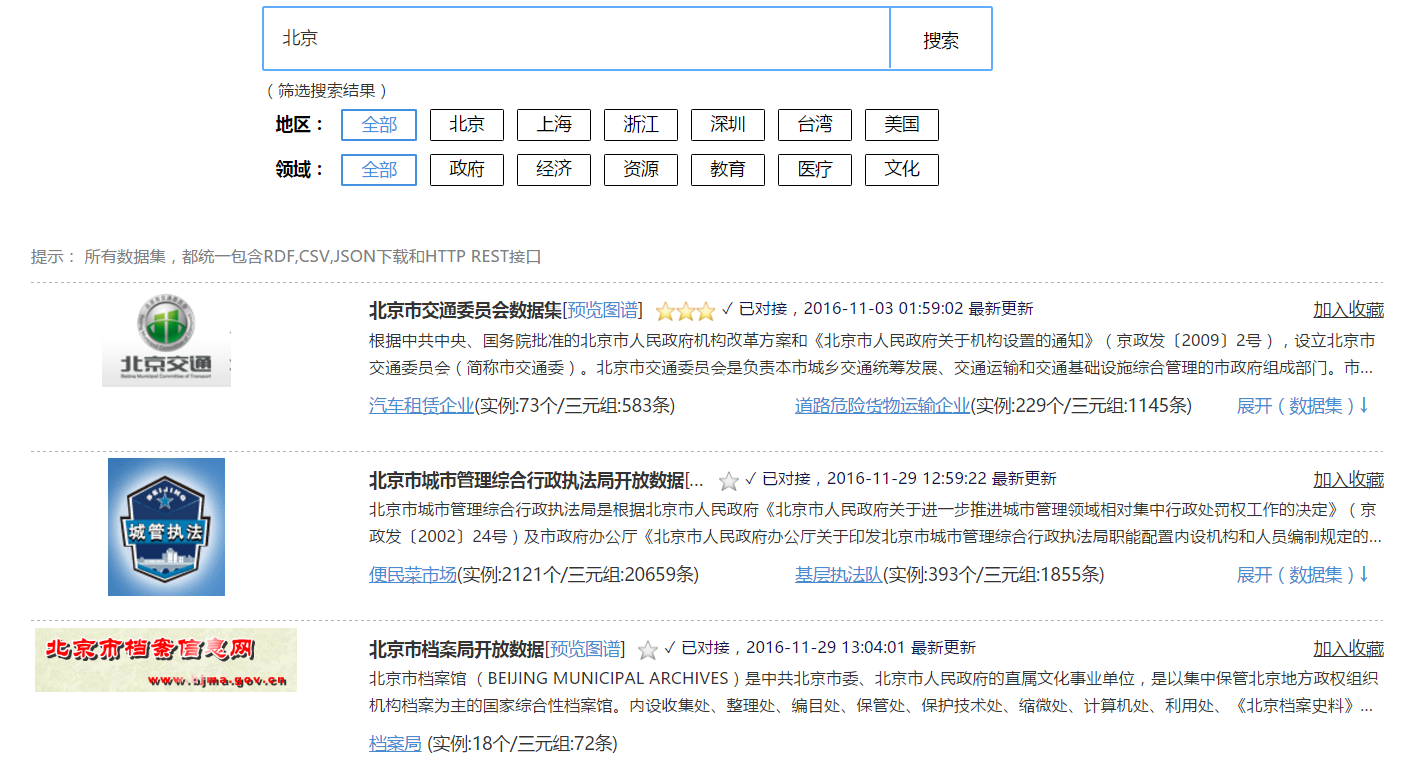
1. Search Resources
In the search box, enter the keyword to find what you are interested in. You can also use the filter function. e.g.:
2. Check Specific Resource
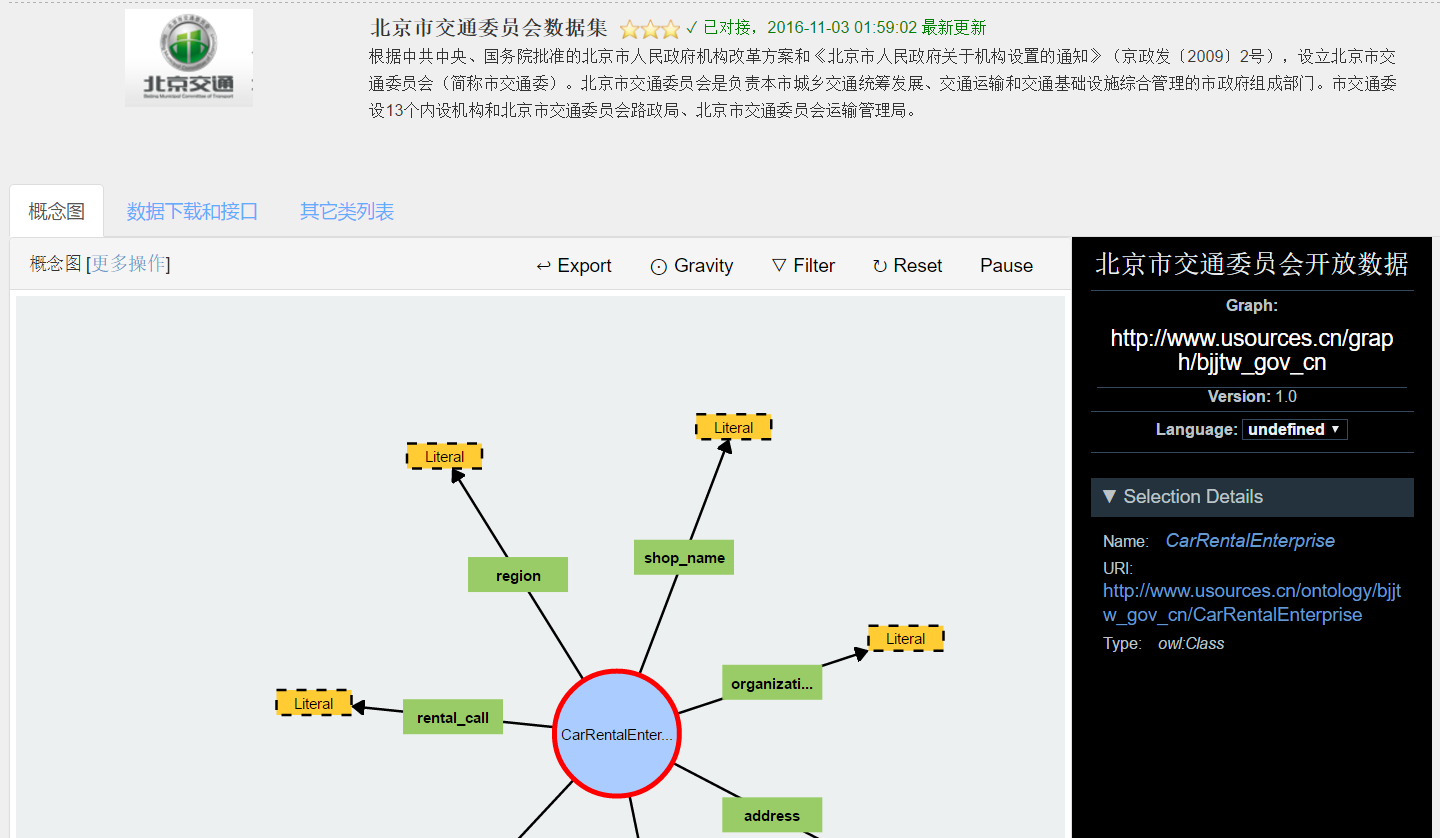
Click on concept under specific agent, such as the concept of "car rental business",
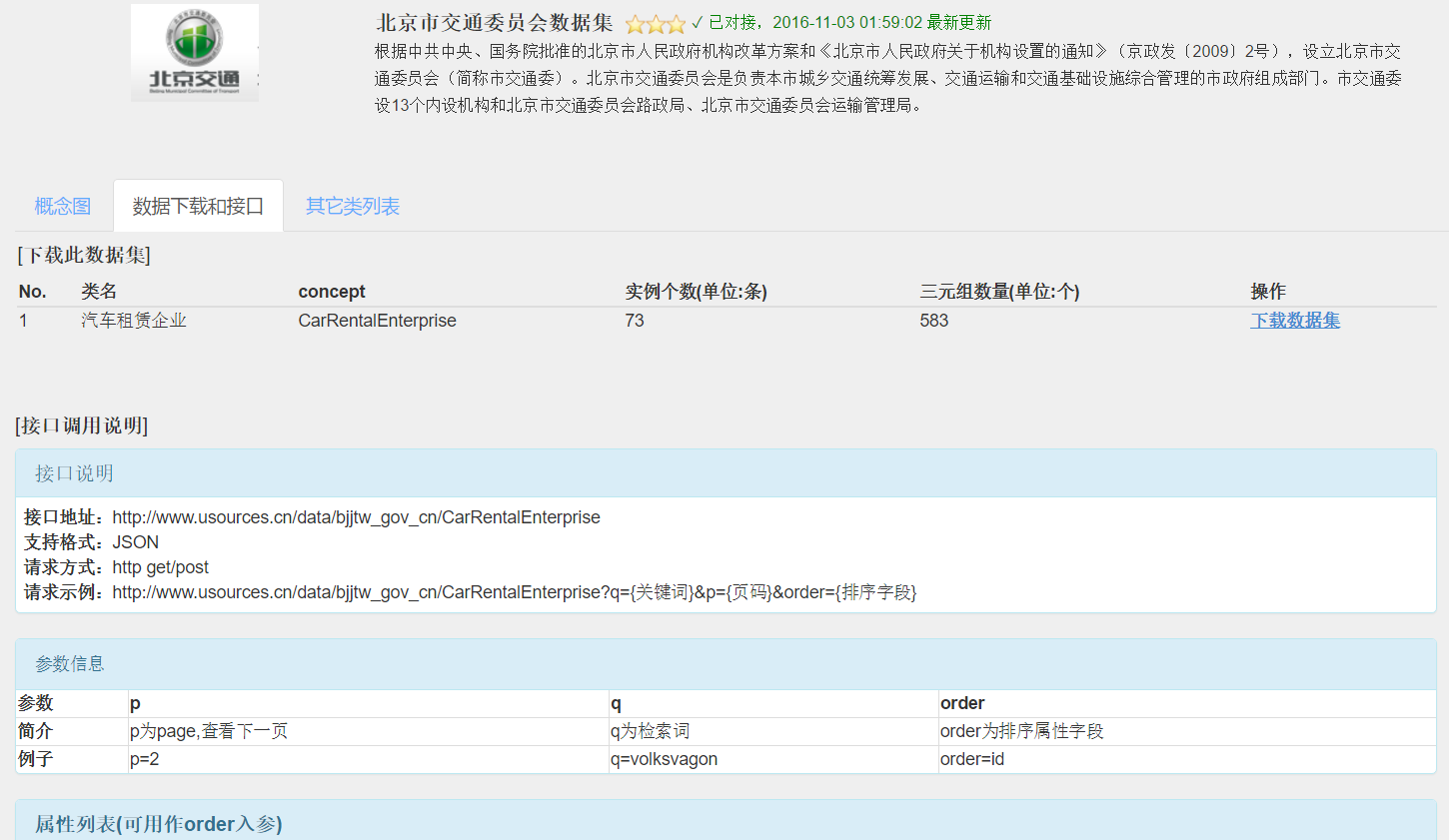
and open the corresponding concept page as follows (It is divided into three parts):
1) Concept graph is a visual concept map of this concept;
2) "Download&invoking" is to download and invoke this data resource;
3) "Other Class List" is to view other data resources under the organization.
3. Download the dataset or Invoke the data stream
Click on the "Download Dataset" to enter the download list (including RDF, CSV, JSON format download). Or you can also invoke the real-time data streams in your program through HTTP REST. HTTP REST is a very extensive use of the interface, there are many examples on the Internet, the following figure is a simple example of JAVA version:
import java.io.*;
import java.net.*;
public String load(String url) throws Exception {
      URL restURL = new URL(url);
      HttpURLConnection conn = (HttpURLConnection) restURL.openConnection();
      conn.setRequestMethod("POST");
      conn.setDoOutput(true);
      conn.setAllowUserInteraction(false);
      BufferedReader bReader = new BufferedReader(new InputStreamReader(conn.getInputStream()));
      String line,resultStr="";
      while(null != (line=bReader.readLine())){
          resultStr +=line;
      }
      bReader.close();
      return resultStr;
}
Finally, we recommend that users use the collection function to collect resources that are interesting and often used. The purpose of this is to facilitate the next use.
